Candidate, client, job, booking, compliance and placement workflows relevant to the agency.
Managed implementation
Your CRM should be ready for your agency before your agency has to adapt to it.
We work through your sectors, terminology, teams, workflow, compliance and reporting requirements, then prepare the workspace for testing and launch.
- Clear agreed scope
- Configured workspace
- Role-based launch
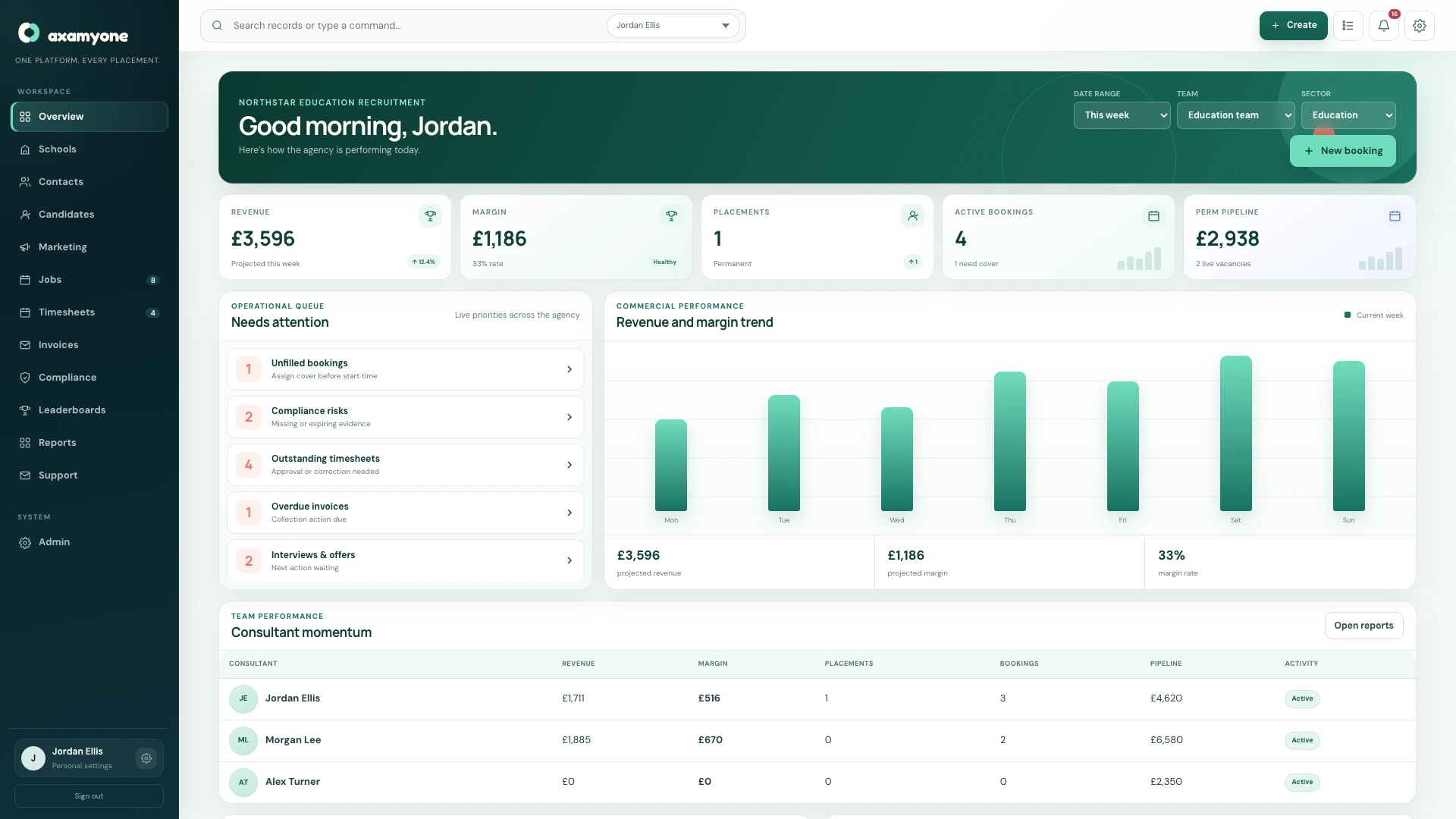
Launch outcomeA workspace already shaped around the team using it
Eight clear stages
Replace uncertainty with an agreed implementation path.
The detail depends on your agency and the agreed scope. These stages keep decisions visible and prevent configuration being deferred until after users are invited.
- 01Discovery
Understand sectors, teams, terminology, workflow, compliance, permissions and reporting requirements.
- 02Configuration
Prepare the workspace, roles, terminology, workflows, compliance, dashboards and portals.
- 03Branding
Apply supported logos, colours, communications, portal appearance and document presentation.
- 04Data
Review the current source, agree what can be imported and validate the supported migration scope.
- 05Microsoft 365
Set up the organisation connection and authorise the users or shared mailboxes agreed for recruitment communication.
- 06Testing
Walk through the relevant candidate, client, compliance, placement, portal and commercial workflows.
- 07Training
Introduce users to the views and processes relevant to their role rather than every setting in the platform.
- 08Launch
Invite the team into a CRM already configured around how the agency operates.
What discovery covers
Start with the operating model, not a list of fields.
Configuration decisions make more sense when they follow the real way candidates, clients, placements and commercial records move through the agency.
- Temporary and permanent desks
- Sector terminology
- Candidate statuses
- Client structure
- Compliance groups and dates
- Role permissions
- KPIs and reporting
- Portal and email journeys
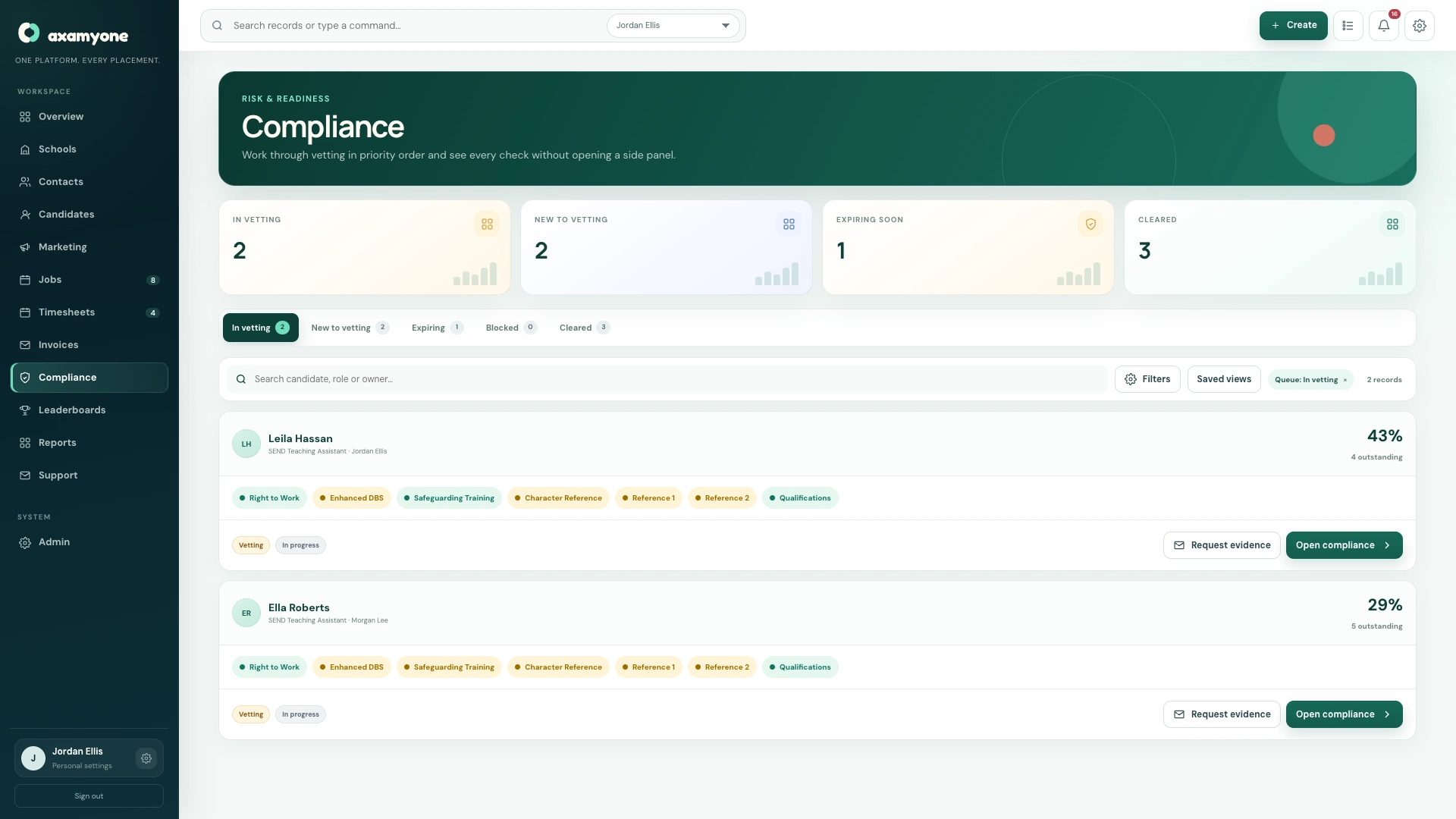
Data migration
Agree the useful data before anyone promises a simple import.
The exact migration scope is confirmed after reviewing the existing source, its structure, quality and available exports. Supported implementation can include agreed candidate, client, contact, user and relevant compliance records.
We do not promise that every historic field, attachment or workflow can be transferred automatically. The goal is a validated launch dataset, not an unreviewed copy of every legacy problem.
Plan your CRM switchA useful migration question
Which information does your team need on day one to recruit, place, approve and report confidently—and which history only needs to remain accessible elsewhere?
Before launch
Test the real journeys your team will use.
A launch review should reflect your agreed modules, permissions and external setup—not a generic checklist detached from the workspace.
Supported Microsoft 365 identities, mailboxes, portals and public forms in the agreed environment.
Consultant, manager, compliance and finance views checked against their permitted work.
Start with how your agency actually operates.
We’ll use the first conversation to understand your sectors, teams and implementation priorities.